More improvements to Attack Surface Custom Policies
Tl;dr We’ve made a few improvements to Attack Surface Custom Policies, such as viewing alerts more easily and deleting custom policies. We’ve also made a …

Detectify Admin
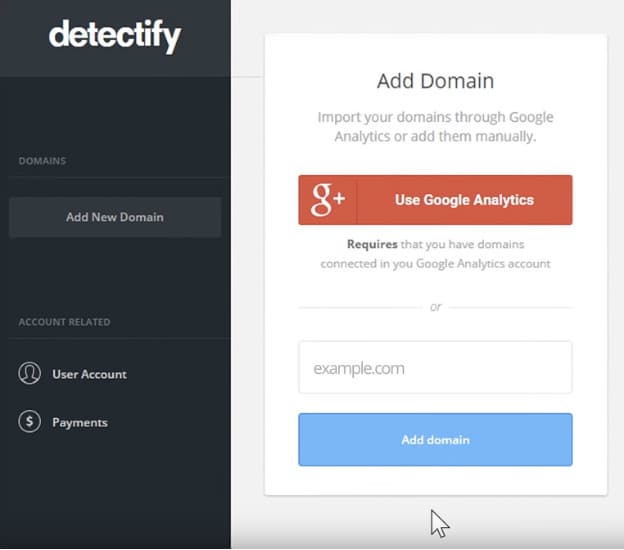
In order for you to get the most out of your Detectify experience it is important that you get your account set up the right way. Based on how you would like to use the results, you can adjust the tool to fit your business and your goals. In this blog post, we walk you through the setup process and explain how you can tailor your account to suit your needs.
The first thing you should do is think about the setup of your test. Would you like to include the whole site or only parts of it? If you would like to include the whole site in the test, add the top domain without using www. before the domain name.

If you would like us to include subdomains in the test, you can do this in two ways.

Read more about scanning subdomains here.

You can add the same domain multiple times and add different test profiles. This could be handy if you for example would like to have one test to be able to login (see how this is done here) and one just to visit the external site. Another reason would be to run tests on a different time schedule or to send information to different channels, for example Slack channels.
Many of our users use services such as a WAF or CDN. In some cases, these services might see us as harmful traffic and block us from sending requests to the site. However, a skilled hacker might very well get around the blocking capability.
Therefore, it is important that you let Detectify scan behind this wall and open up the site to us. You do this by whitelisting our two static IPs at your provider or assigning a custom cookie or header.
If you have questions regarding account setup, we are only an email away at support@detectify.com. You can also reach us on Twitter @detectify or schedule a call with us, so that we can help you get started and get as much value out of Detectify as possible.
We’re happy to help you go hack yourself!
The Detectify Team
Tl;dr We’ve made a few improvements to Attack Surface Custom Policies, such as viewing alerts more easily and deleting custom policies. We’ve also made a …

Validate security policies like you mean it Not everything on your attack surface is a vulnerability. Every organization has their own internal security policies that …